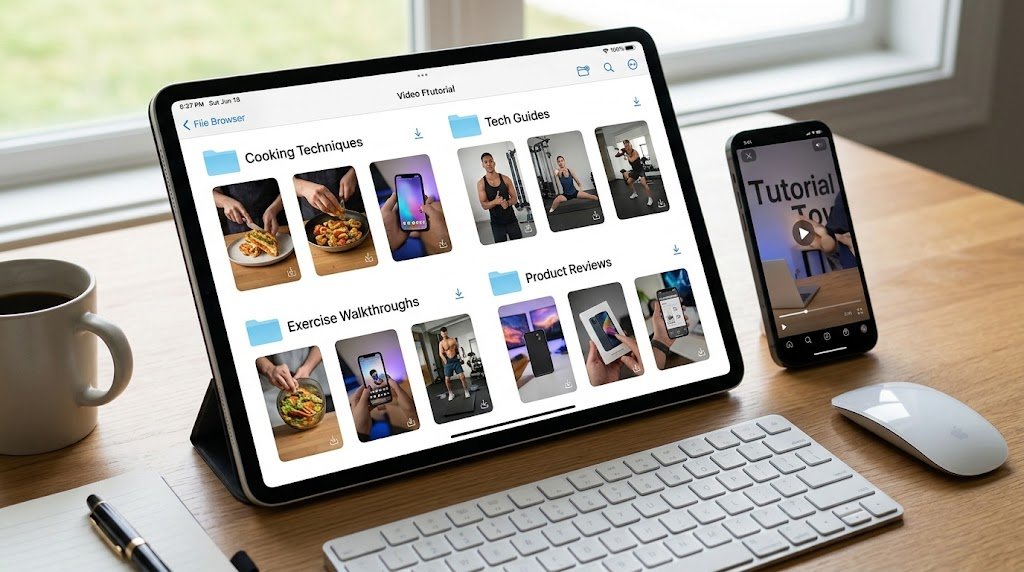
For a lot of people, short vertical videos are no longer just entertainment. They are quick reference material: a two-minute explanation of a phone setting, a demonstration of a cooking technique, a walkthrough of a form that would take pages to describe in text. When a format becomes this useful, the way you store and revisit it starts to matter as much as the way you watch it the first time.
The problem is that these clips live inside apps built around a constant connection. That works beautifully at home on wi-fi and far less well on a crowded commute, in a basement office, or anywhere the signal drops. Keeping a personal copy of the videos you actually use closes that gap.
The case for a personal video library
Bookmarks inside an app are fragile. The post can be edited, the account can switch to private, or the clip can simply be taken down — and your bookmark points at nothing. A downloaded file does not depend on any of that. It is yours to open on a long flight, drop into a presentation, or forward to a relative who does not use the same app.
There is a bandwidth argument too. If you follow a tutorial by scrubbing back and forth a dozen times, streaming it repeatedly burns through mobile data. Downloading it once and replaying the local file is far more efficient, which is not a small thing on a metered plan.
Know exactly what a saved clip contains
A reel is essentially a compressed video and its audio, presented inside a player that keeps score of views and interactions. When you save a copy, you keep the picture and the sound. You do not keep the comment thread, the running like count, or the surrounding profile. It is a snapshot of the video itself, frozen at the moment you saved it — useful to remember, because the live post can change afterwards while your copy will not.
Public content only — no exceptions
Before saving anything, check that the account is public. A private profile represents a deliberate decision by its owner about who gets to see their work, and that decision should hold no matter what a tool can technically do. Public posts sit in a different category entirely: they were published for anyone to view, and keeping a quiet reference copy of one is consistent with how people have always clipped articles or saved songs they wanted to return to.
Picking a sensible saving method
You will find browser add-ons, desktop programs and web-based services that turn a public reel link into an ordinary video file. A web tool like Sssinstagram takes a pasted public link and returns the clip with nothing to install, which suits people who would rather not add software to every device. Regardless of the route, judge any tool by the same standards: it should need only the public link, it should never ask you to sign in with your account, and it should not smother you in pop-ups and redirects.
Treat a request for your login details as a red flag. Saving a public video never requires access to your account, and volunteering your password is the single easiest way to have it compromised.
A workflow worth repeating
- Confirm the post is public before you do anything else.
- Copy the link to the individual reel, not the whole profile.
- Run it through your chosen tool and download the plain video file.
- Rename the file with a short, searchable description right away.
- File it into a themed folder so you can actually find it next month.
Naming and sorting take seconds and save you real frustration later. A folder of clearly labelled clips is a resource; a heap of files called by random characters is clutter.
Credit the people who made it
Saving for personal use is fine. Resharing without acknowledgement is not. If a clip ever leaves your own device, name the creator and link back to the original where you can. Creators invest time and skill in what they publish, and a visible credit is the least they are owed. Reposting someone’s work as if it were your own is unfair and tends to end in complaints.
Keep your collection healthy
Video eats storage far faster than text or images, so a library left unattended will swell. Once a month, prune the clips you no longer need and back up the ones you genuinely value to a second place — an external drive or a cloud folder. Devices get lost and fail; a second copy of the material you care about is cheap insurance.
In short
Treating short-form video as reference material is a sensible response to how genuinely useful it has become. Stay with public posts, refuse any tool that wants your login, credit creators when you pass a clip along, and take a moment to name and sort what you keep. Follow that and your saved videos turn into a dependable library rather than a pile you never revisit.